

Imagine opening a box of old VHS tapes, only to find the footage faded or unplayable. Every year, irreplaceable memories slip away as tapes degrade and technology moves forward. If you want to protect your family videos, wedding highlights, or rare vintage footage, now is the time to convert vhs to usb stick before it is too late.
This guide reveals the 6 smartest and most effective ways to secure your memories in 2026. Whether you prefer a professional-grade device, a simple DIY kit, or a hands-off mail-in service, you will discover pros, cons, and the best solution for your needs.
Ready to preserve your past and make sharing easy for the future? Let’s explore the step-by-step options to keep your stories safe for generations.
Why Convert VHS to USB Stick in 2026?
Preserving your memories is more urgent than ever. VHS tapes are not built to last forever. Each year, they lose a bit more of their magic. In fact, magnetic tape can lose up to 20 percent of its signal every decade. As VCRs become rare and tapes face heat, humidity, and accidental erasure, the risk grows. If you want to convert vhs to usb stick, understanding the science behind tape decay is crucial. For a deeper look, check out these VHS tape degradation statistics.
The Decline of VHS and Risks of Tape Degradation
VHS is fading fast. Every year, analog tapes lose quality as magnetic signals break down. Fewer households have working VCRs. Hardware parts are hard to find, and tapes are vulnerable to heat, dust, and accidental erasure. If you want to convert vhs to usb stick before your memories fade, the clock is ticking.
Benefits of Digital Conversion
Switching to digital brings freedom and peace of mind. When you convert vhs to usb stick, your videos become easy to share, edit, and back up. USB sticks are compact, long-lasting, and compatible with modern devices. You can duplicate files for family, upload to the cloud, or enjoy them on any laptop or smart TV.
- Effortless sharing with loved ones
- Simple editing and organizing
- Reliable backup and long-term security
Use Cases: Families, Collectors, Creators
Who should convert vhs to usb stick? Almost everyone with cherished tapes. Families risk losing home movies, weddings, and milestones forever. Collectors want to protect rare footage. Creators need to access vintage content for new projects. Even schools and businesses with archival tapes benefit from digital conversion.
- Families with decades of memories
- Film collectors looking to preserve history
- Creators and educators needing easy access
Cost and Convenience in 2026
Converting tapes is now more affordable. Devices like the RVT Digitizer set the industry standard with professional-grade results, while budget options exist for every need. Here’s a quick look:
| Method | Avg. Cost per Tape | Skill Level | Turnaround |
|---|---|---|---|
| DIY Device | $10–$20 | Beginner–Expert | Immediate |
| Mail-in Service | $25–$40 | No experience | 2–8 weeks |
If you convert vhs to usb stick at home, you save money and gain control. Services are perfect for big or fragile collections. The process is easier than ever, with plug-and-play devices and step-by-step guides.
Example: A Family’s Journey from VHS to Digital
Picture this: A family gathers old tapes from the attic—birthdays, graduations, and reunions. Using a top-tier device like the RVT Digitizer, they quickly convert everything to USB sticks. Relatives across the globe receive digital copies. Memories once at risk now live safely in the cloud, ready for the next generation to enjoy.
6 Smart Ways to Convert VHS to USB Stick in 2026
Preserving family memories and rare footage is easier than ever in 2026. Whether you're a parent with a box of home movies or a creator archiving vintage gems, knowing the best way to convert vhs to usb stick can make all the difference. Below, explore six smart solutions—ranging from professional-grade hardware to mail-in services—each tailored for different needs, budgets, and tech skills. Ready to find your perfect match?
RVT Digitizer 3.0 by Retrovision Technologies Inc
Looking for the gold standard to convert vhs to usb stick? The RVT Digitizer 3.0 stands out as the industry benchmark in 2026. Priced at $220 (often on sale for $194), it’s a professional-grade device engineered for families, collectors, and creators who refuse to compromise on quality.
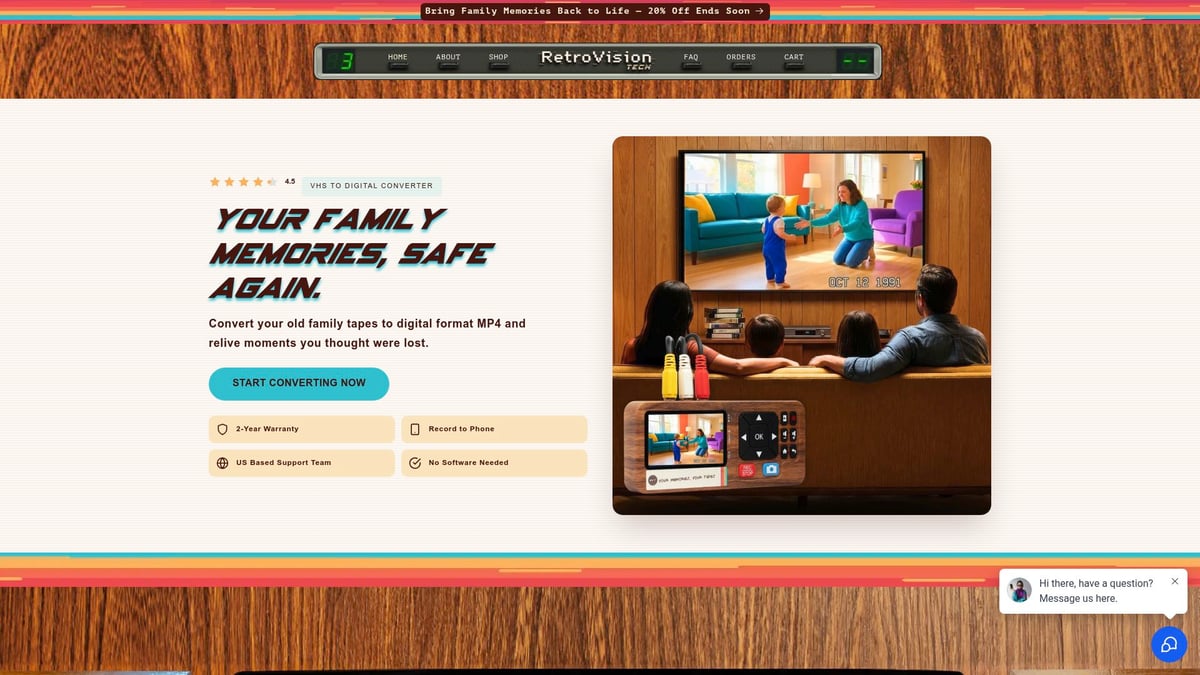
What sets RVT Digitizer apart?
It delivers unmatched picture clarity and preserves the true color and sound of your tapes—even after decades in storage. With lightning-fast transfer speeds and a plug-and-play setup, you can convert vhs to usb stick without any complicated software. Just connect your VCR or camcorder, press record, and your memories are safely saved to USB.
Key Features:
- Supports VHS, Hi8, MiniDV, camcorder, and even gaming inputs
- Superior analog-to-digital conversion for archival-grade results
- Direct recording to mobile, streaming compatibility (OBS), and U.S.-based support
- 2-year warranty and precise engineering for lifetime reliability
Pros:
- Crystal-clear video output and color accuracy
- Fastest transfers in its class
- Easy for all ages and tech levels
- Trusted U.S. customer support
Cons:
- Premium price point
- Requires a working VCR or camcorder
Real-life story:
A YouTube content creator wanted to convert vhs to usb stick for rare game footage. After trying a generic converter (with dropped frames and muddy colors), they upgraded to RVT Digitizer. The difference was night and day. Stable transfers, vivid images, and peace of mind knowing every detail was preserved.
For those weighing their options, check out this Comparing video to digital converters guide to see how RVT Digitizer compares to other solutions.
ClearClick Video to Digital Converter 3.0
If you want a simple way to convert vhs to usb stick—no computer required—the ClearClick Video to Digital Converter 3.0 is a top pick. Priced around $160–$200 and bundled with a 128 GB USB drive, it’s designed for non-technical users who just want a quick, reliable transfer.
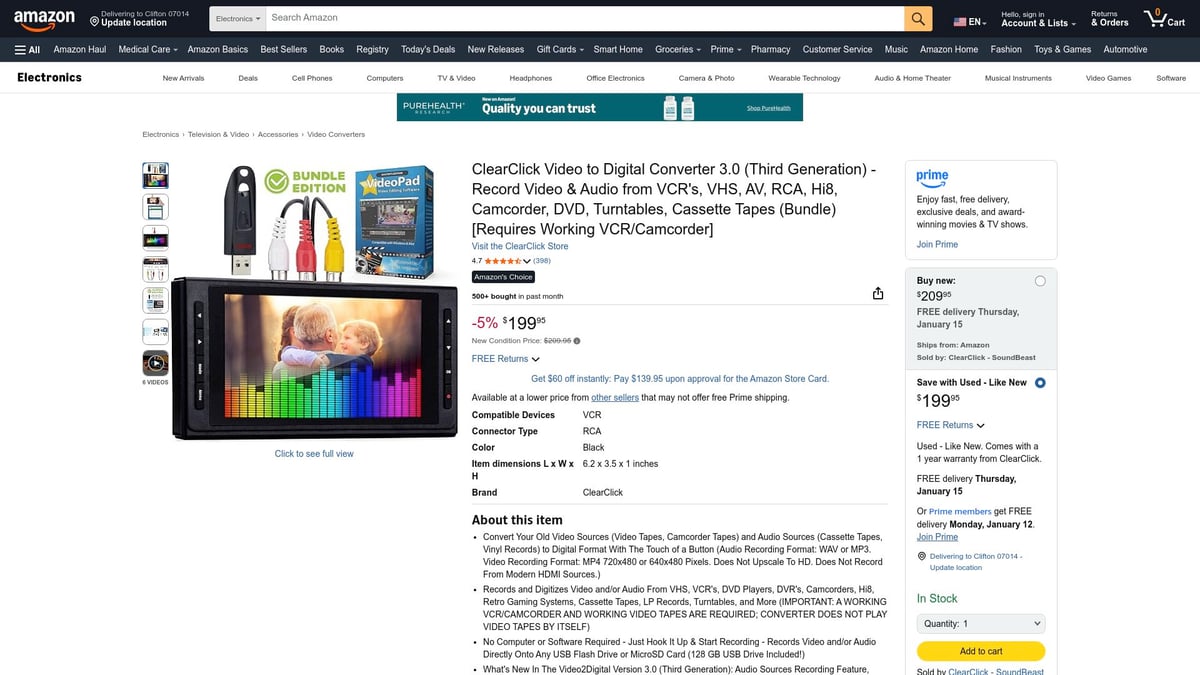
Features:
- Converts VHS, camcorder, and analog sources directly to USB or SD card
- Built-in preview screen lets you monitor transfers in real time
- No software or computer needed
Pros:
- Portable and easy to use
- Large storage included
- Handles multiple tape formats
Cons:
- You need a working VCR
- Manual start/stop for each tape
- Some users wish for better sound quality
Family snapshot:
One family used ClearClick to convert vhs to usb stick for 20 tapes over a weekend. They watched highlights together, then sent digital copies to relatives across the country—no tech headaches, just happy faces.
iMemories SafeShip Kit Mail-In Service
Prefer a hands-off approach? The iMemories SafeShip Kit lets you convert vhs to usb stick without touching a single cable. For $12–$20 per tape (plus shipping), they provide a secure shipping box, professional digitization, and delivery on USB or cloud.
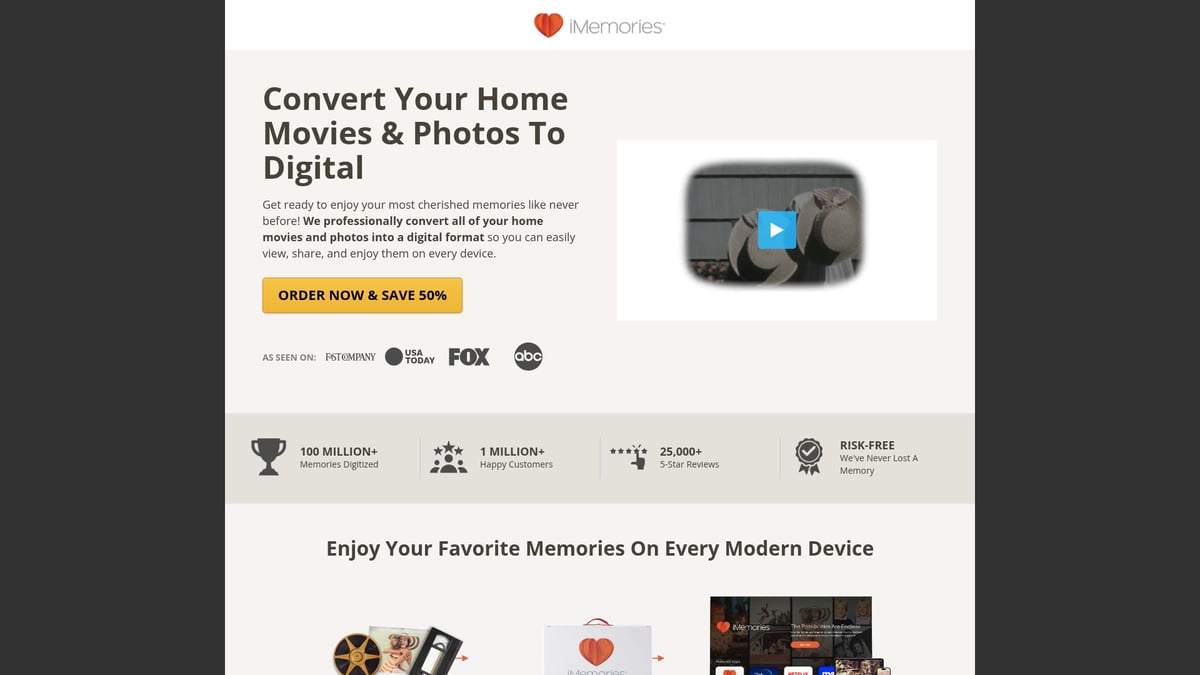
Features:
- Secure, trackable shipping kit
- Expert cleaning and restoration
- Online preview before you pay
- Optional cloud storage
Pros:
- No technical setup at home
- High-quality results from trained pros
- Regular updates on your order
Cons:
- Turnaround time is 2–8 weeks
- Costs add up for large collections
- Mailing tapes may raise privacy concerns
Real-life example:
A retiree wanted to convert vhs to usb stick for decades-old wedding and childhood tapes. With iMemories, she received crisp digital files, beautifully restored, and shared them with her grandchildren worldwide.
VIXLW USB Video Capture Card
For tech-savvy users looking to convert vhs to usb stick affordably, the VIXLW USB Video Capture Card is a strong DIY option. Priced between $30 and $50, it’s a compact dongle that plugs into your computer, handling VHS, camcorder, and more.
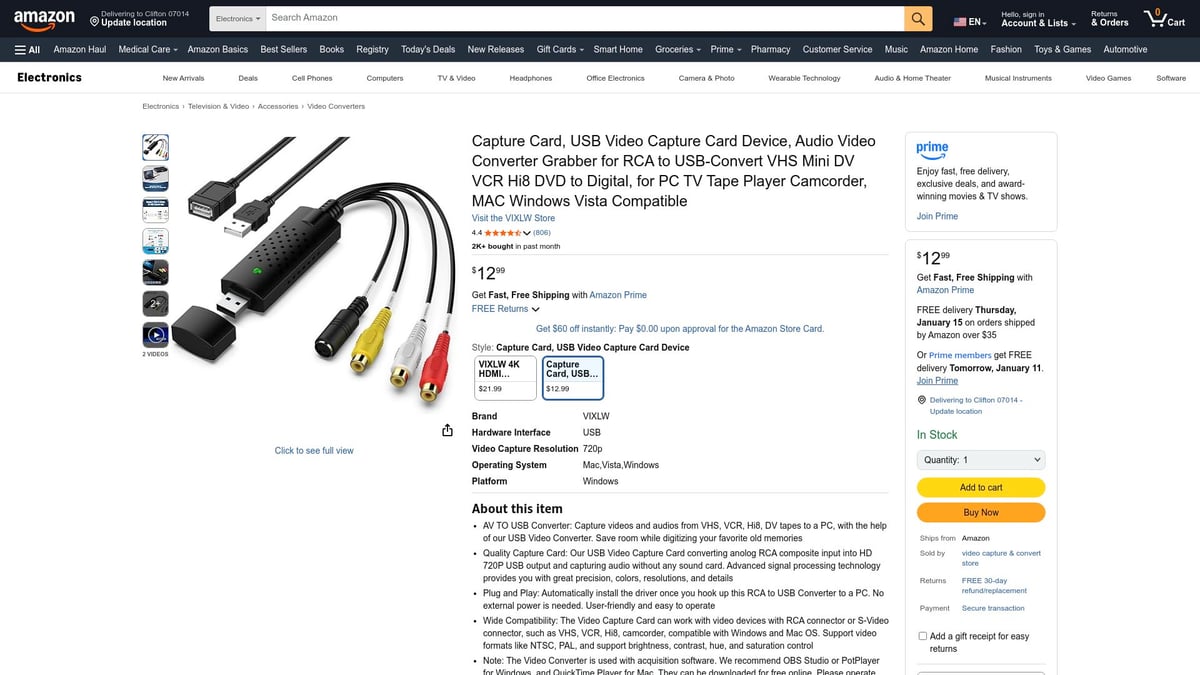
Features:
- Compatible with Windows and Mac
- Records via included software
- HD 720p capture with adjustable settings
Pros:
- Budget-friendly
- Flexible for different analog sources
- Good video quality for the price
Cons:
- May require software downloads and setup
- Troubleshooting needed for some tape formats
- Not optimized for interlaced NTSC playback
Mini story:
A college student wanted to convert vhs to usb stick for a family history project. With VIXLW, she digitized priceless memories for her multimedia class and learned editing along the way.
Portta VHS to Digital Converter
Need something portable and simple? The Portta VHS to Digital Converter helps you convert vhs to usb stick without a computer. At $80–$120, it’s a standalone device with a preview screen, supporting various analog formats.
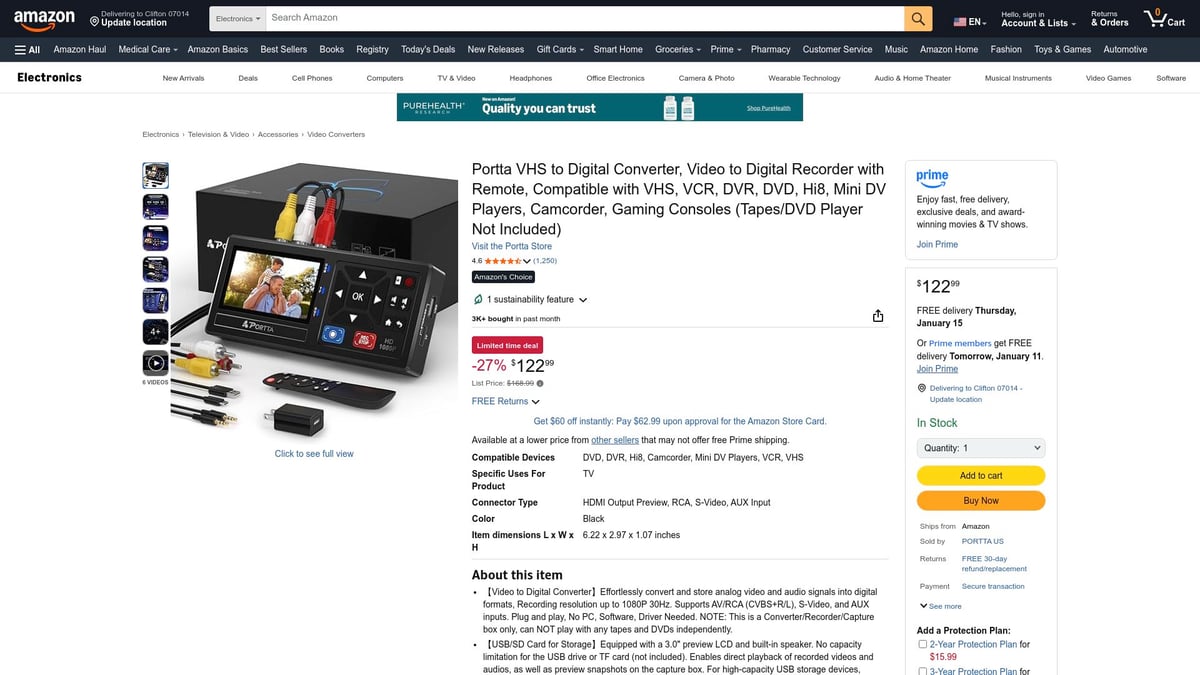
Features:
- Direct recording to USB or SD card
- No PC required
- Compact and travel-friendly
Pros:
- Quick, plug-and-play setup
- Wide compatibility with tape types
- Lightweight for on-the-go archiving
Cons:
- Standard definition output only
- Remote batteries not included
- Slight blur on large displays
Archivist’s tale:
A traveling archivist needed to convert vhs to usb stick from different sources. The Portta was perfect for on-site digitization, capturing memories in the field with minimal fuss.
Tech Collector VHS Converter
Want both digital and physical backups? The Tech Collector VHS Converter lets you convert vhs to usb stick and DVD, with HDMI output for modern TVs. Priced at $100–$140, it’s ideal for families who want versatility.
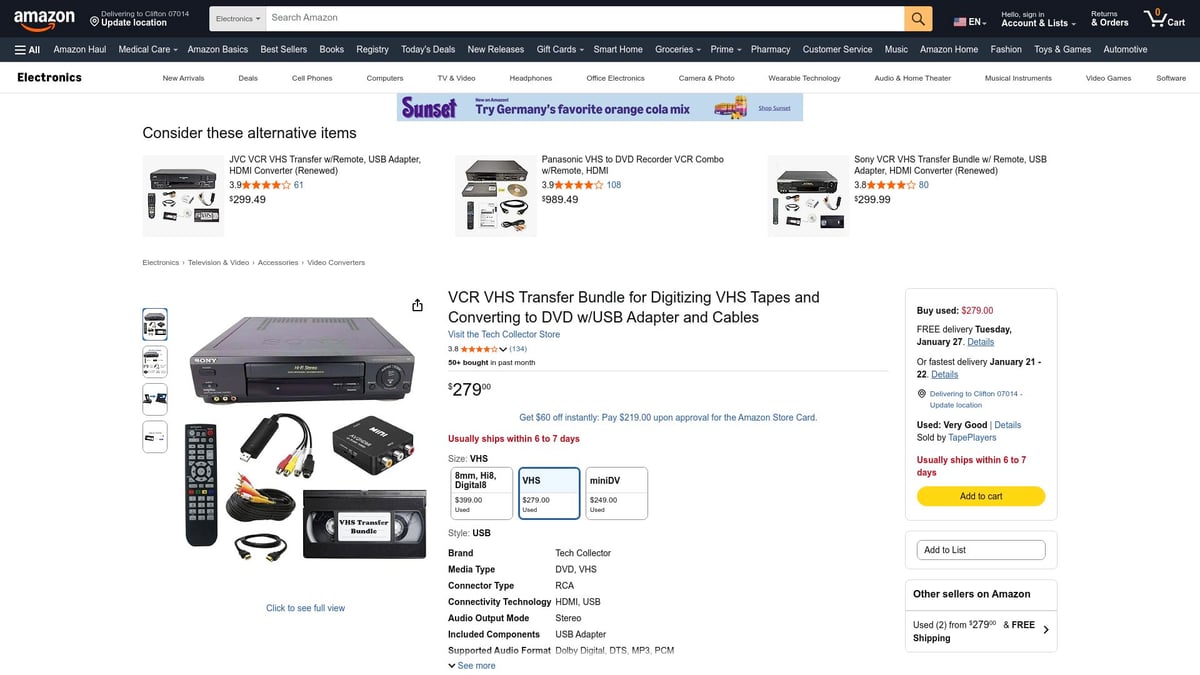
Features:
- Converts to USB and DVD
- HDMI output for direct TV viewing
- Clear, step-by-step instructions
Pros:
- Dual-format conversion
- Compatible with HD TVs
- User-friendly guide included
Cons:
- Initial setup can take time
- Bulkier than other devices
- Limited online support
Family story:
A multigenerational family wanted to convert vhs to usb stick and DVD for easy sharing. With Tech Collector, they made both digital and disc copies for relatives, ensuring every generation could enjoy their history.
How to Choose the Best VHS to USB Solution for Your Needs
Preserving your cherished memories means choosing the right way to convert vhs to usb stick. Every family, collector, or creator has unique needs, so it pays to compare your options before you start. Let’s break down the factors that matter most, from your tape collection to the support you’ll receive after conversion.
Assessing Your Tape Collection and Goals
Start with a quick inventory. How many tapes do you want to convert vhs to usb stick? Are they family movies, rare collectibles, or business archives?
Check for tape types—VHS, S-VHS, or camcorder formats. Examine their condition. Fragile or moldy tapes may need expert care. Decide if you want simple preservation, easy sharing, or editing for creative projects. Knowing your goals shapes your best path forward.
Comparing DIY vs. Professional Services
Next, weigh the pros and cons of each approach. Some want total control and hands-on savings. Others prefer to let experts handle everything.
| Feature | DIY Conversion | Professional Service |
|---|---|---|
| Cost per tape | Lower | Higher |
| Effort | More | Minimal |
| Quality control | Full | Expert restoration |
| Equipment needed | Yes | No |
| Privacy | High | Mail-in risk |
If you want to convert vhs to usb stick at home, DIY offers flexibility. For fragile or large collections, professional services bring peace of mind.
Evaluating Hardware and Software Features
Not all devices are made equal. The RVT Digitizer stands out as the industry benchmark to convert vhs to usb stick, thanks to its superior picture clarity, fast transfer speed, and plug-and-play design. Its advanced encoding chip preserves color accuracy and sound fidelity, making it ideal for families and creators who want the best.
Compare features like supported formats, resolution, and editing options. For a deeper dive, check out this VHS to digital converter guide for expert tips on what to look for. Reliable hardware ensures your memories last for generations.
Budgeting for Your Project
Budget shapes your options. DIY hardware costs more upfront, but is cost-effective for multiple tapes. Services charge by the tape, which adds up for larger collections.
Don’t forget hidden expenses. You may need cables, a working VCR, or extra storage. Always compare the total cost before you convert vhs to usb stick. A little planning can save money and stress.
Support, Warranty, and Long-Term Reliability
After conversion, support matters. Choose solutions with responsive, U.S.-based customer service and solid warranties. The RVT Digitizer, for example, offers a 2-year warranty and ongoing updates for lasting reliability.
Ask yourself: Will this device work with future computers? Is help available if you hit a snag? Prioritize products that promise not just a quick fix, but a safe home for your memories long-term.
Key Tips for a Successful VHS to USB Conversion
Preserving your memories starts long before you hit record. To successfully convert vhs to usb stick, preparation and attention to detail make all the difference. Here’s how families, collectors, and creators can ensure each tape transfer is smooth, safe, and crystal clear.
Preparing Your Tapes and Equipment
Start by inspecting each VHS tape for dust, mold, or damage. Clean tapes gently with a soft cloth, and avoid using tapes that look brittle or warped. Test your VCR or camcorder to ensure smooth playback. If needed, use a head cleaner to improve picture quality and prevent errors during conversion. For a full guide, check out best practices for VHS to digital conversion before you convert vhs to usb stick.
Optimizing Video and Audio Quality
Use high-quality RCA or S Video cables to connect your playback device to your converter. Adjust tracking, brightness, and contrast on your VCR for the clearest image. Devices like the RVT Digitizer stand out, offering superior picture clarity, color accuracy, and sound fidelity, even from older tapes. Avoid generic converters that can cause picture dropouts or color fading. Take your time setting up for the best results.
Managing File Formats and Storage
Choose a format like MP4 or AVI for your digital files, as they work well with most devices. Save your files directly to a USB stick, and always back up to a second location, such as an external drive or the cloud. For step by step guidance, see this step-by-step VHS to computer resource. Staying organized now makes sharing and editing much easier after you convert vhs to usb stick.
Editing and Enhancing Your Digital Videos
Once your tapes are digital, use editing software to trim unwanted sections, adjust colors, or stabilize shaky footage. Many converters include basic editing tools, but third party apps can add polish. Add metadata, titles, or chapters to help family and friends find favorite moments fast. A little editing goes a long way to making your memories shine.
Troubleshooting Common Issues
If you notice sync issues, dropped frames, or no signal, double check all cable connections and device settings. Sometimes software needs an update or a simple restart. Consult your converter’s manual or support forums for device specific fixes. The RVT Digitizer is known for reliability and responsive U S based support, making troubleshooting rare and quick when needed.
Example: Avoiding Common Mistakes
One family tried to convert vhs to usb stick with a cheap generic converter, only to lose precious footage due to glitches and poor quality. They switched to the RVT Digitizer and saw a dramatic difference: every color, voice, and laugh preserved with clarity. Investing in a premium device meant peace of mind, easy sharing, and memories that last for generations.
Frequently Asked Questions About VHS to USB Conversion
What is the average cost to convert a VHS tape to USB in 2026?
The average cost to convert VHS to USB stick depends on your approach. DIY methods usually range from $10 to $20 per tape after hardware costs, while professional services charge $25 to $40 per tape. Investing in the RVT Digitizer offers long-term savings for families with many tapes.
Can I convert tapes without a VCR?
Most solutions require a working VCR or camcorder to convert VHS to USB stick. If you no longer have a playback device, mail-in services are an option. For a closer look at expert options, see this Digital conversion service overview for details on professional help.
Is DVD or USB better for long-term storage?
USB sticks are more reliable than DVDs for preserving your digital memories. They offer greater durability, larger capacity, and easy backups. When you convert VHS to USB stick, you future-proof your footage for modern devices, ensuring easy sharing and editing for years to come.
Will converting tapes damage my originals?
Properly handled, converting tapes will not harm your originals. Always use clean equipment and gentle playback. For fragile or moldy tapes, consult experts. For details on handling and best practices, read about the Longevity of video cassettes and preservation methods.
How do I share my digitized videos?
After you convert VHS to USB stick, sharing is simple. Copy files to other USB sticks, upload to cloud storage, or create private online albums. Many families enjoy sending digital copies to relatives worldwide, keeping everyone connected to their favorite memories.
What if my tapes are damaged or moldy?
If your tapes are damaged or moldy, avoid playing them until you seek advice from a professional. Some advanced devices can handle minor issues, but serious problems may risk further loss. Always prioritize safe, expert conversion to protect what matters most.
Ready to make sure your precious VHS tapes don’t fade away with time? We’ve seen how quickly old videos can disappear, but you don’t have to lose those family moments or rare finds. With today’s smart solutions, it’s easier than ever to bring your memories into the digital age—with all the color, sound, and clarity they deserve. Want to keep things simple and reliable while getting professional results you can trust? Let’s protect those moments before it’s too late. Why wait another year to relive and share your story? Digitize my tapes today


