Share
If you've been putting off digitizing your VHS tapes because you weren't sure which hardware to use, this is for you. The market for VHS capture devices ranges from $30 USB dongles to professional-grade setups — and the difference in quality is enormous.
What makes a VHS digitizer good?
Three things determine the quality of a digital VHS transfer: the capture hardware, the signal chain, and the encoding settings. Most budget digitizers cut corners on all three.
The capture hardware matters because VHS is an analog format. The device that converts the analog signal to digital data determines how much noise, blur, and color distortion ends up in your file. A weak capture chip introduces artifacts that were never in the original tape.
The signal chain matters because VHS tapes have a built-in timing problem. The signal drifts frame to frame — a problem called jitter. A time base corrector (TBC) stabilizes the signal before it hits the capture chip. Without a TBC, you'll see rolling, flickering, and color shifts that weren't in the original.
Encoding matters because even a perfect capture can be ruined by high compression. Low-bitrate encoding discards image data to keep file sizes small. The result looks acceptable on a phone screen and terrible on a modern TV.
The budget option: USB capture sticks ($30–$80)
Devices like the Elgato Video Capture, the Vidbox, and dozens of Amazon generics fall into this category. They'll get your tape off VHS and onto a hard drive — but that's about all they'll do.
No TBC. Limited bitrate. Minimal software. The resulting files are watchable but not archival quality. If your goal is to watch a tape once before it dies, this works. If your goal is to preserve it for 30 more years, it doesn't.
The middle tier: dedicated capture cards ($100–$300)
Cards from Magewell, AVerMedia, and Blackmagic Design offer better capture quality than USB sticks and work with more encoding options. Pair one with software like OBS or Handbrake and you can get solid results.
The catch: no TBC built in. You'll need a separate TBC unit if your tapes have any jitter — and most tapes from the 80s and 90s do. A decent external TBC adds $150–$400 to the setup. The total cost and complexity climbs fast.
The RVT Digitizer 3.0
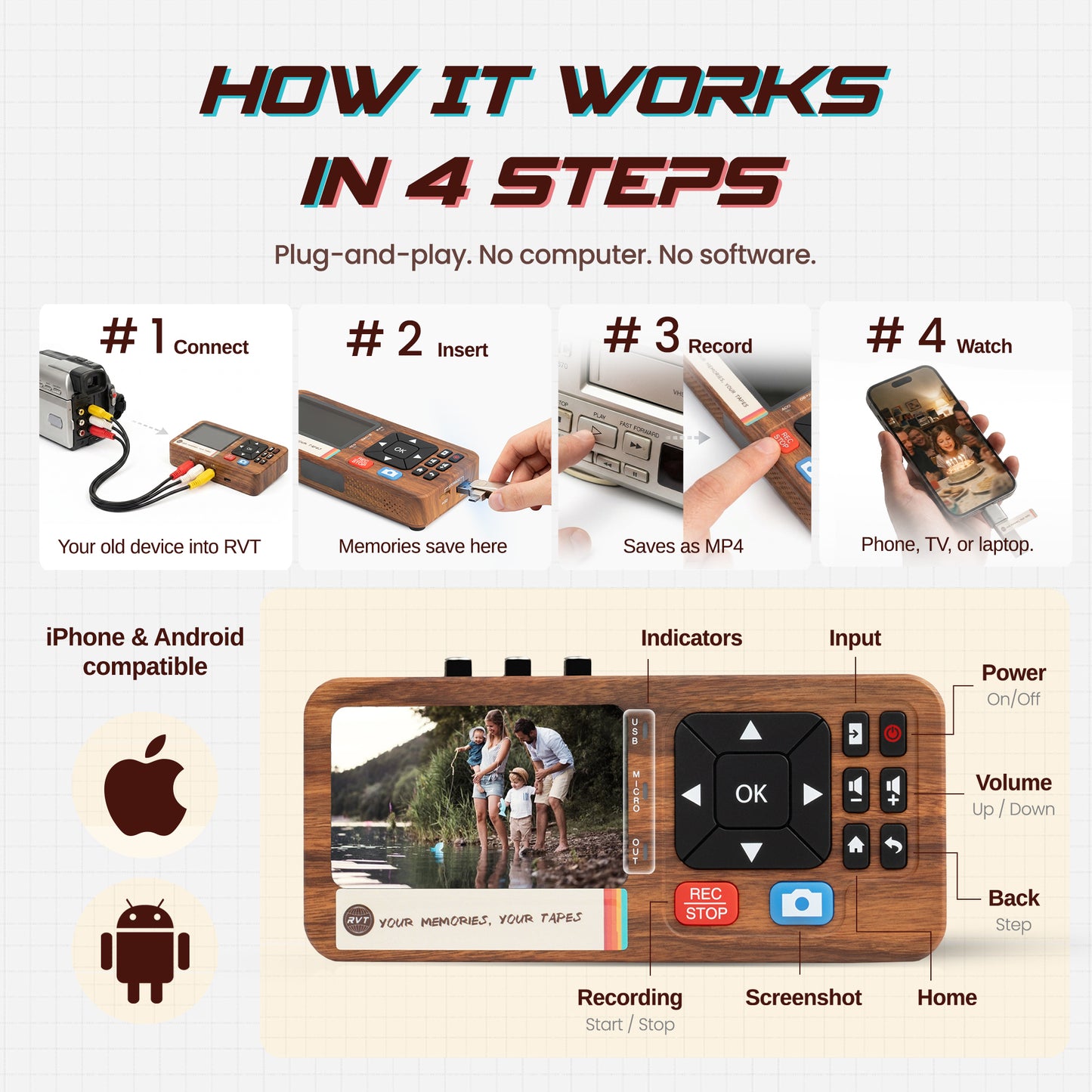
We built the RVT Digitizer 3.0 because no single product handled the full signal chain well at a reasonable price. It includes a built-in hardware TBC, a high-quality capture module, and direct export to MP4 and MKV at up to 30 Mbps — no plugins, no configuration.
It connects to your VCR via composite or S-Video. You press record. You get a file. That's the whole process.
Which is right for you?
A handful of tapes and quality doesn't matter much: a USB stick will do the job.
Important footage — family footage, weddings, births — and you want the best possible result the first time: use hardware with a TBC. The RVT Digitizer 3.0 is the simplest path to get there.
Digitizing is a one-time job. Do it right once rather than doing it cheap and wishing you hadn't.
Related reading
Before you start, it's worth knowing what you're working against: How Long Do VHS Tapes Last? (Less Time Than You Think) — and then How to Digitize VHS Tapes at Home (Without Sending Them Away) for the full step-by-step process.