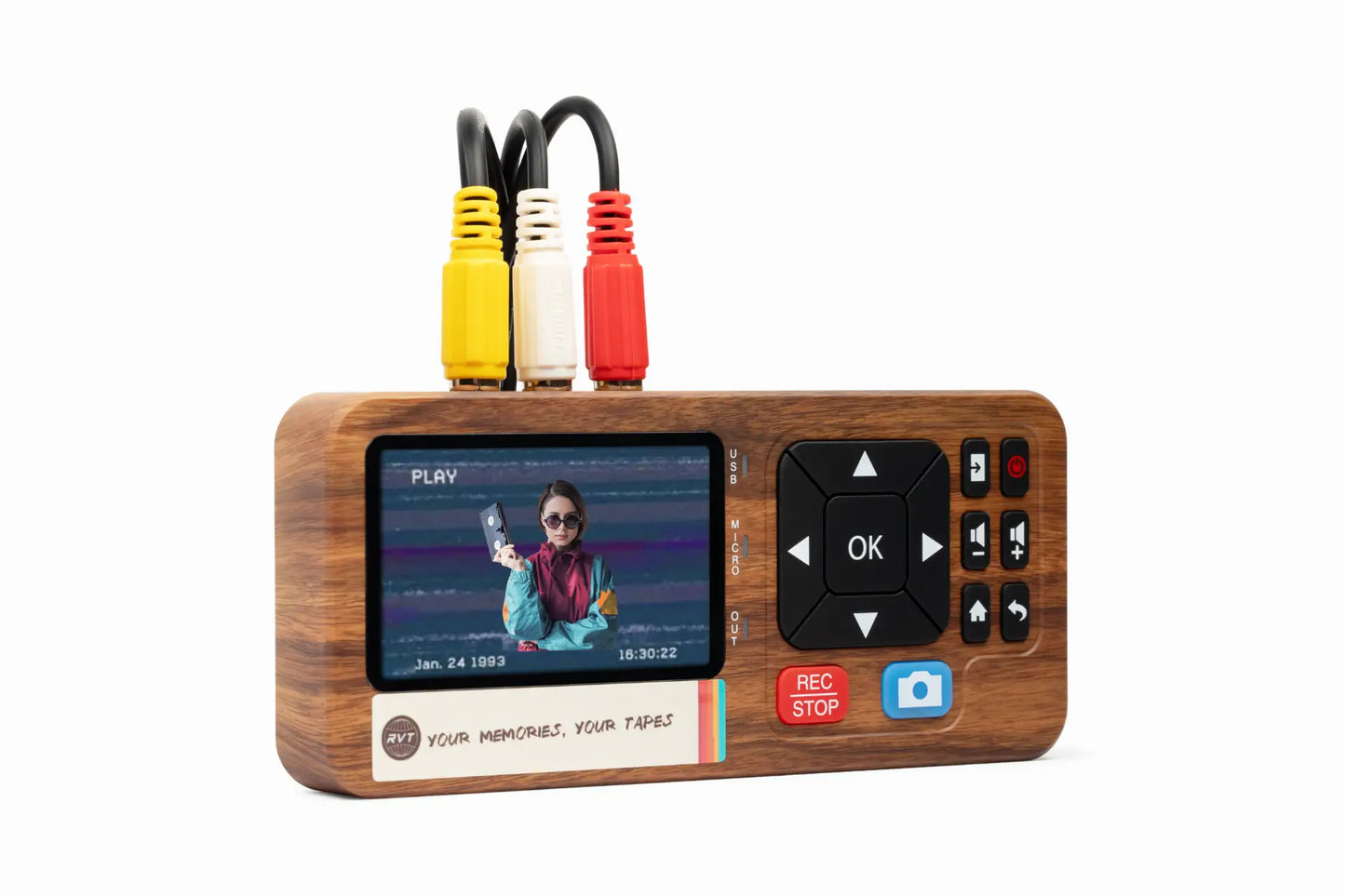

Imagine your favorite family memories, milestone birthdays, and once-in-a-lifetime moments all captured on VHS tapes, quietly fading away in the attic. These tapes hold stories you cannot replace, yet every year their quality slips and working VCRs get harder to find. In 2025, preserving these memories is more urgent than ever.
A reliable vhs to digital converter can be the lifeline your memories need. This guide reveals the top 8 VHS to digital converter choices for 2025, helping you choose the right tool to protect, relive, and share your priceless footage. We will compare leading converters for picture clarity, speed, ease of use, and value, with expert tips for every type of user.
Ready to safeguard your family’s legacy or rediscover lost moments? Let’s explore the best ways to convert your VHS tapes and keep those memories alive for generations.
Why Digitize VHS Tapes in 2025?
Preserving your family’s legacy is more urgent than ever. Those unforgettable birthday parties, first steps, and holiday gatherings, once safely stored on VHS tapes, now face a ticking clock. The truth is, every VHS tape is at risk of fading away, and the devices to play them are disappearing fast. Let’s unpack why acting now with the right vhs to digital converter is the smartest way to keep your memories safe.
The Decline of VHS Technology
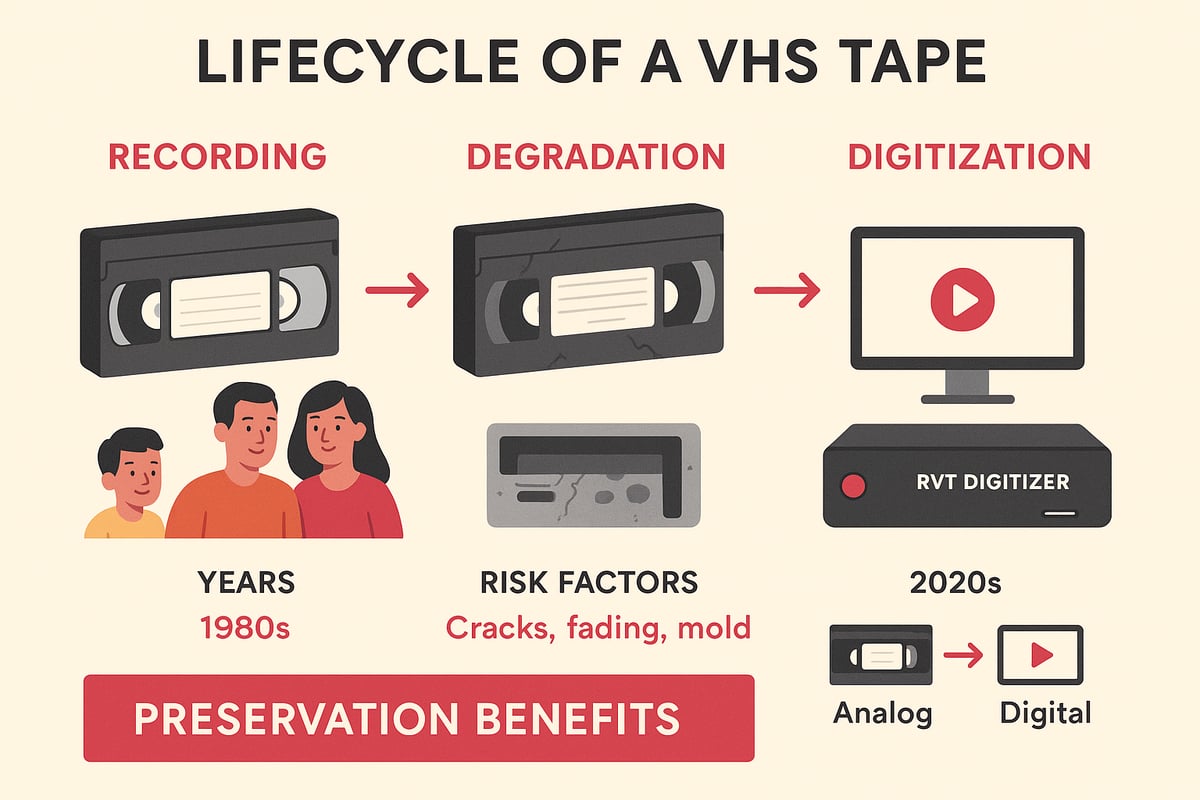
VHS players are growing scarcer each year, with repair shops closing and manufacturers halting production. Working VCRs are now considered collector’s items. At the same time, VHS tapes themselves are deteriorating. According to recent studies, VHS tapes degrade 10-20% over 10-25 years, often suffering from mold, sticky tape, or signal loss.
Imagine popping in your wedding video only to see static or hear muffled audio. These risks are real, and once the footage is gone, it can’t be recovered. Throwing away old tapes also adds to landfill waste, making responsible digitization a win for the environment.
Benefits of Digital Conversion
Switching from analog to digital unlocks a world of benefits. Digital files last for decades without losing quality, unlike tapes that fade every year. With a reliable vhs to digital converter, you can store home movies on your computer, external drives, or even in the cloud.
Digital videos are easy to share with family around the globe. Grandparents can watch their grandkids grow up, no matter the distance. Plus, you’ll have peace of mind knowing your memories are backed up and safe from flood, fire, or accidental loss.
What to Look for in a VHS to Digital Converter
Not all converters are created equal. The best vhs to digital converter delivers sharp resolution, vivid color, and crystal-clear sound. Look for fast transfer speeds and simple setup, especially if you want to avoid tech headaches.
Compatibility matters. Make sure your converter works with your current computer and operating system. Some models include handy editing software for trimming clips or enhancing footage. Be wary of super-cheap converters that often cause glitches or poor transfers—quality matters when preserving irreplaceable moments.
DIY vs. Professional Conversion Services
Should you convert tapes at home or trust a pro? DIY kits, like the RVT Digitizer, offer control and privacy, letting you handle every tape with care. They’re often more budget-friendly and perfect for personal projects.
Professional services cost more but deliver high-end results and handle tricky or damaged tapes. Turnaround times vary, and you’ll be mailing off your originals, so factor in privacy and shipping risks. Hybrid options, like self-service kiosks, blend convenience with quality. For priceless family archives, investing in a top-rated vhs to digital converter at home can give you both peace of mind and lasting results.
Top 8 VHS to Digital Converter Picks for 2025
Preserving your family’s precious moments starts with the right vhs to digital converter. With so many choices in 2025, finding the best fit can feel overwhelming. Below, we break down the top 8 converters, highlighting what sets each apart. Whether you’re digitizing cherished home movies or rare archival footage, this list will help you compare, choose, and preserve your memories with confidence.
RVT Digitizer by Retrovision Technologies
The RVT Digitizer stands out as the gold standard for anyone seeking the ultimate vhs to digital converter. Its advanced encoding chip delivers ultra-clear picture, vivid color accuracy, and flawless sound. Plug it in, and you’ll notice lightning-fast transfer speeds and a process that’s truly plug-and-play.
Families trust the RVT Digitizer to archive decades of memories with zero dropped frames. Content creators rely on its professional-grade build and lifetime reliability. Archivists and retro gamers benefit from its broad compatibility with VHS, Hi8, MiniDV, and camcorder tapes.
- U.S.-based support gives peace of mind.
- Robust construction ensures durability.
- Multi-format compatibility means no tape gets left behind.
Though the upfront price is premium, the investment pays off in preserved quality and ease of use. Many users, like documentary filmmakers, choose the RVT Digitizer for irreplaceable footage, knowing it will last for generations. Compared to other options, this vhs to digital converter is engineered for those who want the very best results, every time.
Elgato Video Capture
Elgato Video Capture is a favorite for families stepping into the world of vhs to digital converter technology. Its mid-range price and cross-platform support make it accessible for most households.
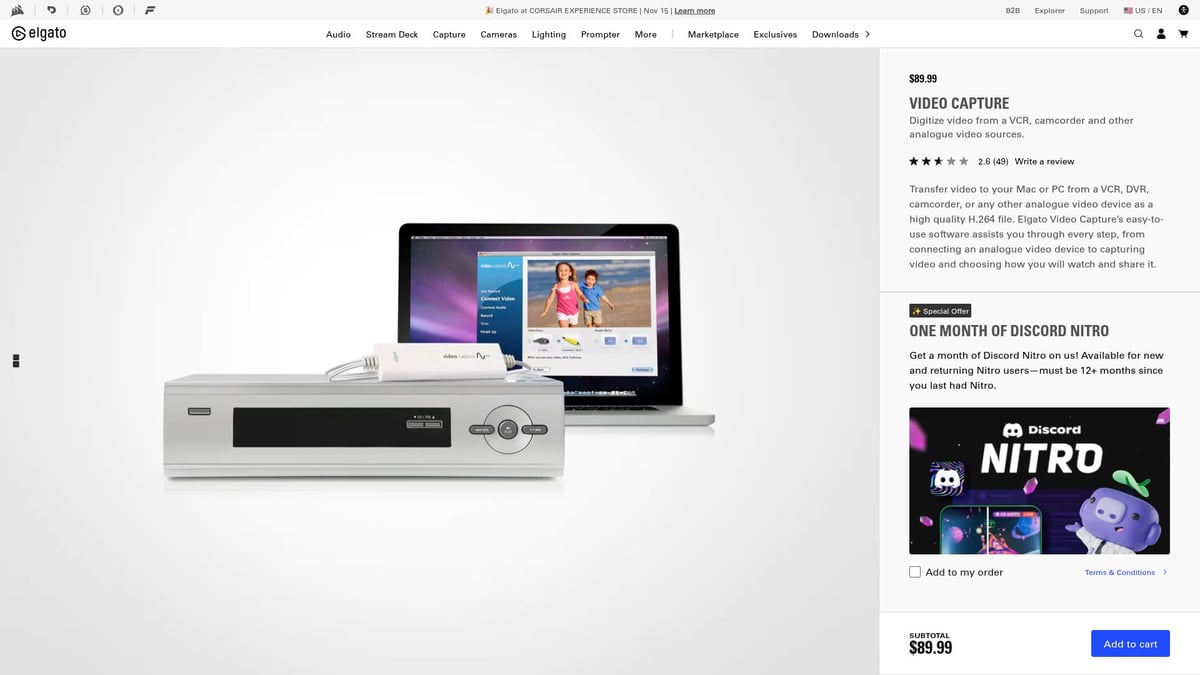
The simple USB setup and bundled software mean you can start converting tapes within minutes. Elgato’s interface guides you through the process, so even beginners feel confident. You’ll get clear video and audio, ideal for creating digital albums or sharing clips online.
Pros include reliable brand reputation, easy setup, and straightforward instructions. However, if you need advanced editing or high-end features, you might find it basic. For everyday memories, it’s a solid, dependable choice. Parents love using this vhs to digital converter to bring old home movies back to life.
VIDBOX Video Conversion Suite
VIDBOX Video Conversion Suite is designed for busy families and non-tech-savvy users seeking a reliable vhs to digital converter. Its step-by-step wizard takes the guesswork out of digitizing, regardless of tape format.
Supporting VHS, Betamax, and camcorder sources, VIDBOX ensures no memory is left behind. The software works on both Mac and PC, adding flexibility. Users appreciate comprehensive customer support and stable, high-quality transfers.
- Guided process is perfect for seniors or those new to technology.
- Good customer reviews build trust.
- Requires installation, so check compatibility with your computer.
A family preserving a mix of VHS and camcorder tapes will find this vhs to digital converter both convenient and effective. While not compatible with some older computers, its reliability and ease of use shine for most users.
Diamond VC500 USB 2.0 One Touch Video Capture
If you’re looking for a budget-friendly vhs to digital converter, the Diamond VC500 is a practical choice. Its one-touch capture button simplifies the process, making it perfect for students or anyone digitizing a few tapes.
The device offers composite and S-video inputs, plus bundled software for basic editing. Its compact design means you can easily store or transport it. Users appreciate the value, especially when working with legacy hardware.
- Affordable entry point for basic needs.
- Straightforward operation for quick projects.
- Basic video quality compared to premium models.
This vhs to digital converter is ideal for digitizing school projects or sports footage on a tight budget. For those needing broadcast-level results, consider investing in a higher-end device.
ClearClick Video to Digital Converter 3.0
ClearClick Video to Digital Converter 3.0 stands apart as a standalone vhs to digital converter. You don’t need a computer—just connect your VCR and record directly to a USB drive or SD card.
Its large preview screen lets you see your footage as it transfers. This portability is perfect for anyone who wants to digitize tapes at multiple locations or lacks access to a computer. It supports various video sources, making it versatile for different projects.
- Portable and standalone for on-the-go digitizing.
- Instant playback without extra setup.
- Bulkier design than USB dongles.
Traveling archivists or those with limited tech access value this vhs to digital converter for its flexibility. Editing features are limited, so consider your post-conversion needs.
UCEC USB 2.0 Video Capture Card
For occasional users, the UCEC USB 2.0 Video Capture Card offers an affordable and portable vhs to digital converter solution. Plug it into your computer, connect your VCR, and you’re ready to convert.
It supports composite and S-video inputs, and works with most operating systems. Setup is simple, but you may need to install drivers depending on your system. The compact size makes it easy to store or lend to friends.
- Low-cost solution for basic conversions.
- Widely compatible with many devices.
- Basic video quality and limited support for advanced formats.
Perfect for converting a few family tapes for an event, this vhs to digital converter is all about convenience and speed.
Honestech VHS to DVD 8.0 Deluxe
Honestech VHS to DVD 8.0 Deluxe provides a feature-rich vhs to digital converter with a focus on editing and archiving. Its software suite includes video enhancement tools, direct DVD burning, and support for various tape formats.
Users can trim, restore, and author DVDs with ease. It’s a great option for those who want to enhance their footage before archiving. The interface, though Windows-only, is intuitive once you get the hang of it.
- Built-in editing and restoration features.
- Simple DVD creation for physical backups.
- Interface may feel dated to some users.
If your goal is to create polished DVDs of family events, this vhs to digital converter makes the process straightforward. It’s especially useful for archiving important milestones.
MAGIX Rescue Your Videotapes! 2025 Edition
MAGIX Rescue Your Videotapes! 2025 Edition is designed for users with damaged or degraded tapes who need a vhs to digital converter with advanced restoration features. The included software focuses on noise reduction, color correction, and image stabilization.
The USB converter is easy to connect, and the workflow is tailored to users comfortable with editing software. Restoration tools help breathe new life into fading footage.
- Strong restoration tools for challenging tapes.
- Easy workflow for those familiar with editing.
- Software-heavy, best for users who enjoy tweaking settings.
This vhs to digital converter is a top pick for restoring and digitizing tapes that have lost their original quality. Users report success reviving tapes with static or color fading.
Quick Comparison Table
| Product | Price Range | Key Features | Ideal For | Standout Benefit |
|---|---|---|---|---|
| RVT Digitizer | Premium | Pro chip, multi-format, plug-play | Families, creators, pros | Lifetime clarity, reliability |
| Elgato Video Capture | Mid-range | USB, cross-platform, easy software | Beginners, families | Simple setup |
| VIDBOX Suite | Moderate | Step-by-step wizard, Mac/PC | Non-tech users, families | Guided process |
| Diamond VC500 | Budget | One-touch, composite/S-video | Students, casual users | Affordability |
| ClearClick 3.0 | Mid-high | Standalone, USB/SD, preview screen | No-computer users, travel | Portability |
| UCEC Capture Card | Low-cost | Plug-play, composite/S-video | Occasional users | Portability |
| Honestech VHS to DVD | Mid-range | Editing, DVD burning, enhancement | DVD archivers, families | Editing suite |
| MAGIX Rescue | Moderate | Restoration software, USB converter | Restoration, editors | Repair tools |
Choosing the right vhs to digital converter comes down to your needs, budget, and the condition of your tapes. Want to see a side-by-side breakdown of these options? Check out this Comparing Top VHS to Digital Converters resource for more details and direct comparisons.
How to Choose the Right VHS to Digital Converter for Your Needs
Preserving your memories starts with picking the right tool. With so many options, how do you know which vhs to digital converter fits your needs? Let’s break it down step by step so you can confidently convert those tapes and keep your stories safe.
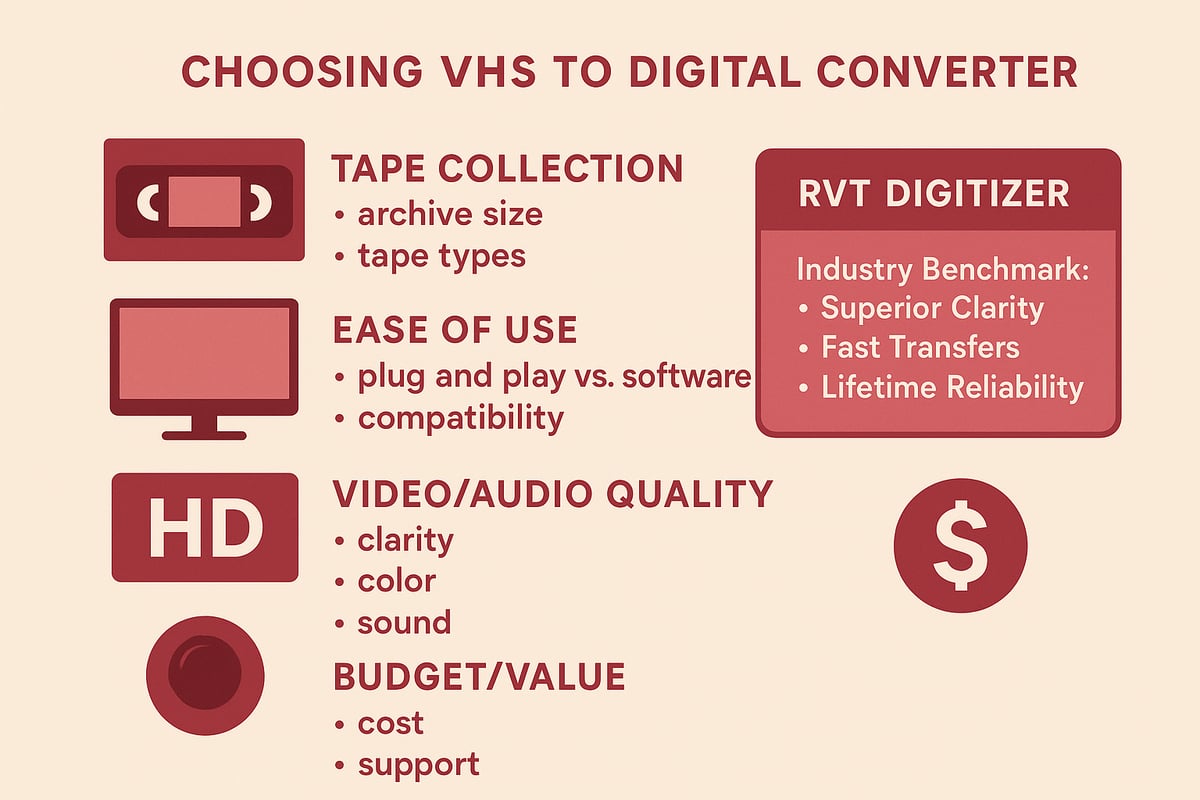
Assessing Your Tape Collection and Goals
Start by looking at your tape collection. Do you have a large archive or just a few home movies? The number and type of tapes—VHS, S-VHS, VHS-C, Hi8, MiniDV—can influence your choice of vhs to digital converter.
Think about your end goal. Do you want digital files, DVDs, or cloud storage? For example, a family historian with shelves of rare tapes may need archival-grade results, while a parent might just want birthday parties saved for easy sharing. Not sure where to start? Check out this Best VHS Converter for Family Videos collection for inspiration.
Evaluating Ease of Use and Compatibility
No one wants a complicated setup. Some vhs to digital converter models offer plug-and-play simplicity, while others need extra software or technical steps. Make sure your choice works with your computer—Windows, Mac, or both—and modern devices.
Clear instructions and accessible customer support are essential, especially if you’re helping grandparents or less tech-savvy family members. Imagine the relief of a senior who can digitize tapes with just a few clicks, thanks to a user-friendly device like the RVT Digitizer.
Prioritizing Video and Audio Quality
Not all converters are created equal. For the sharpest video, accurate colors, and clear sound, look for a vhs to digital converter with advanced chips and stable signal processing. The RVT Digitizer stands out here, delivering unmatched clarity, zero dropped frames, and true-to-life color and audio.
If you’re a filmmaker or content creator, you’ll notice the difference immediately. Even for family memories, high-quality transfers mean you can relive every detail for years to come. Why settle for fuzzy footage when you can have professional results at home?
Considering Budget and Long-Term Value
Budget plays a big role, but it’s important to weigh up-front cost against long-term peace of mind. Cheaper converters may work for quick jobs, but they can risk tape damage or poor quality. Investing in a premium vhs to digital converter like the RVT Digitizer gives you lifetime reliability, U.S.-based support, and proven customer satisfaction.
Look for warranties and responsive service. Remember, you’re not just buying a gadget—you’re safeguarding your family’s legacy. Want a step-by-step walkthrough? This How to Convert VHS Tapes to Digital guide can help you plan every stage.
Tips for Successful VHS to Digital Conversion
Preserving your memories starts with the right approach. Even the best vhs to digital converter cannot fix tapes that are dirty or damaged. By following these tips, you can ensure your old videos become lasting digital treasures for your family.
Preparing Your Tapes for Conversion
Before using any vhs to digital converter, inspect each tape carefully. Look for signs of mold, dust, or sticky residue. Clean the cassette shell with a soft cloth and use a VCR head cleaner if playback seems fuzzy or distorted. According to VHS tape degradation factors, environmental issues and age can cause tapes to stick or drop out, risking data loss.
Rewind and fast-forward tapes fully. This helps loosen the spools and prevents sticking during transfer. If you spot white powder or a musty smell, isolate that tape to avoid contaminating others. Taking time to prep your tapes will help your vhs to digital converter deliver the best results and keep your memories safe.
Setting Up for Best Results
A quality vhs to digital converter setup makes all the difference. Use high-grade cables and, if possible, connect with S-video for sharper images. Place your VCR and converter away from power strips or Wi-Fi routers to reduce interference. Adjust your VCR’s tracking to minimize static bars or audio warble.
The RVT Digitizer stands out for its simple plug-and-play setup, fast transfer speed, and ability to capture vivid color and clear sound. Compared to cheaper converters, it preserves every precious detail with fewer headaches. Following expert guidelines like those from Caring for audio, video, and data recording media ensures your transfer setup is reliable and safe.
Capturing and Saving Files Securely
Choose the right file format when using a vhs to digital converter. MP4 is ideal for most families, while MOV or ProRes may suit professionals. Always save your files to two or more locations, such as an external drive and a cloud backup. This protects your digital memories from accidental loss or hardware failure.
Label each file with the date and a short description. For large collections, create folders by year or event. The RVT Digitizer’s advanced encoding chip ensures your files are crisp and stable, making them easy to organize, share, and enjoy for decades.
Editing and Enhancing Digitized Videos
Once your videos are captured, use editing software to polish them. Trim unwanted footage, correct color, and balance audio. Many vhs to digital converter kits include basic editing tools, but premium options like the RVT Digitizer offer superior fidelity for restoration.
Remove background noise or static, and stabilize shaky scenes. Create short highlight reels or montage videos for sharing at family gatherings. With the right converter and a few simple edits, even faded birthday parties or wedding tapes can look vibrant again.
You’ve seen just how quickly VHS tapes can fade and how precious those memories are—birthday parties, first steps, and even lost gems from your camcorder days. With the right converter, you can relive those moments in stunning digital clarity and share them with loved ones near and far. Why risk losing another memory to time or a worn-out VCR? If you’re ready to preserve your family’s story or your retro gaming wins, let’s make it happen together. Want to see just how easy and reliable the process can be? Digitize my tapes today