
Share
What Type of Video Tape Do I Have? How to Identify VHS, VHS-C, 8mm, Hi8, Betamax & More
You pulled a box out of the closet, the attic, or your parents' garage, and now you're holding a stack of old tapes. Some are labeled. Most aren't. A few are in cases. One looks like it might have melted slightly against a water heater. You know there's probably something on them, a birthday, a vacation, a graduation, maybe just an afternoon that nobody thought to document in any other way, but you're not even sure what format they are, let alone how to play them back.
Work through the descriptions below and you'll know what format each tape is, whether it's still playable, and what to do next to get the footage off before it's gone for good.
The Quick Visual Guide: Identify Your Tape by What It Looks Like
You don't need a label to identify most tape formats. The physical cassette itself tells you almost everything. Match what you're holding to the descriptions below.
VHS
VHS is by far the most common format you'll encounter in a box of old home recordings. The cassette is large and rectangular, roughly 7 inches wide, 4 inches tall, and about 1 inch thick, making it the biggest standard consumer tape format. The housing is almost always black, occasionally dark gray or white. The front face has a hinged plastic door that flips up to reveal the tape heads; lift it gently and you'll see the magnetic tape stretched between two internal reels. The back edge of the cassette has two circular reel hubs visible through small windows. If you can read any text on the label or housing, you'll likely see "T-120," "T-160," or similar codes indicating recording time, along with brand names like Maxell, TDK, Fujifilm, Sony, or Scotch. If a tape in your stack looks like the "original" videocassette, the one everything else seems to be measured against, it's almost certainly VHS.
VHS-C
VHS-C tapes look exactly like VHS cassettes that someone shrank in the wash. They're compact, about one-third the size of a standard VHS tape, measuring roughly 3.5 inches wide by 2.4 inches tall. The housing is black plastic, and the overall shape is immediately recognizable as a miniaturized version of a VHS cassette, with the same angular corners and hinged tape door. VHS-C tapes were used almost exclusively in small, palm-sized camcorders throughout the late 1980s and 1990s. If you find a tiny black tape that looks unmistakably like a VHS cassette but far too small to fit in a standard VCR, it's VHS-C. The cassette often has "Compact VHS" or the VHS-C logo printed directly on the housing. A critical detail: a VHS-C tape can actually be played in a standard VCR using a mechanical adapter, a plastic carrier that you insert the small cassette into, which then loads like a normal VHS tape.
Betamax (Beta)
Betamax tapes are slightly smaller than VHS, close enough in size that you might initially mistake one for the other, but noticeably more compact. A Beta cassette is roughly 6 inches wide, 3.75 inches tall, and about 1 inch thick. The most telling visual difference is the window on the face of the cassette: on a Betamax tape, you'll typically see a single large reel visible through the window, whereas a VHS cassette shows two smaller reels side by side. The housing is usually black, and Sony branding is very common. Sony developed the Betamax format and was its primary champion. If you see "Beta," "Betamax," or Sony-specific tape product names on the label, that's your confirmation. Betamax was primarily a late 1970s through mid-1980s format in the consumer market.
Video8 and Hi8
These are small, nearly square cassettes, significantly smaller than either VHS or Betamax. A Video8 or Hi8 tape measures roughly 3 inches wide by 2.5 inches tall and about 0.6 inches thick. The housing is typically black or dark gray. You'll most commonly find these labeled "Video8," "Hi8," or occasionally "Digital8", all three formats used the same physical cassette shell, though they recorded at different quality levels. These tapes came from Sony Handycam camcorders and similar 8mm-format cameras that were extremely popular through the late 1980s, 1990s, and into the early 2000s. If you have small, compact tapes from a palm-sized camcorder, particularly one with the word "Handycam" on it, these are almost certainly 8mm format tapes. The "8" in the name refers to the 8mm width of the tape inside.
MiniDV
MiniDV tapes are tiny, the smallest consumer camcorder format, and unmistakably so. They measure roughly 2 inches wide by 1.5 inches tall and only about 0.5 inches thick, smaller than a matchbox. The housing is most commonly bright blue, though silver and black versions exist. The cassette has a very modern, almost jewel-like appearance compared to earlier analog formats. MiniDV was the dominant consumer camcorder format from the late 1990s through the mid-2000s, used in camcorders from Sony, Canon, Panasonic, and JVC. If your tapes are tiny, blue, and look like they came from a camcorder you'd recognize from the early 2000s, they're MiniDV. This is a digital format, important because the playback and transfer workflow is different from analog tapes (more on this below).
U-Matic
U-Matic tapes are large professional broadcast and institutional format cassettes, considerably bigger than VHS, roughly 8.6 inches wide by 5.4 inches tall. If you're holding something this large, it almost certainly came from a professional production environment, a school, or a television station rather than a family camcorder. U-Matic was widely used for broadcast and educational video through the 1970s and 1980s. Finding one in a home collection is uncommon, but not unheard of, some families recorded television broadcasts or had access to institutional equipment. Playback hardware for U-Matic is expensive and rare.
A Note on Laserdiscs
Occasionally people find large, flat, silver discs that look like enormous CDs, 12 inches in diameter, mixed in with tapes. These are Laserdiscs, not tapes at all. They're optical discs, similar in concept to DVDs but much larger, and they were a consumer format for movies from the late 1970s through the 1990s. Laserdisc players were a completely separate device from VCRs, and the content was almost always commercially released movies and concerts rather than home recordings. If you have these alongside your tapes, set them aside, they require a dedicated Laserdisc player and are an entirely different category from what this guide covers.
I Have VHS Tapes. What Now?
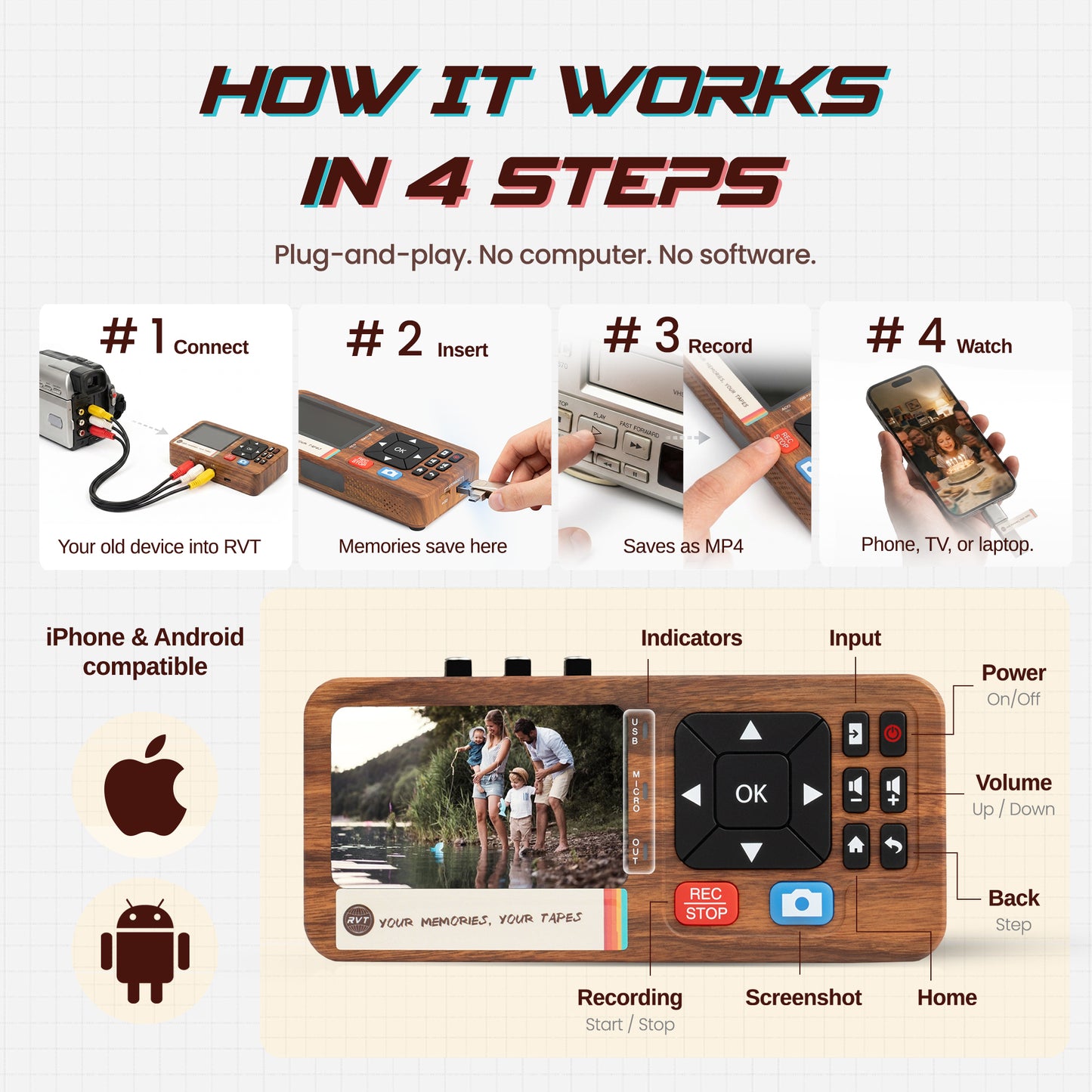
Good news: VHS is the most accessible format to work with. Working VCRs can still be found at thrift stores, online marketplaces, and in family garages. Because VHS outputs a standard analog composite signal through RCA cables (the red, white, and yellow connectors), any USB capture device, including the RVT Digitizer 3.0, can receive that signal and record it to your computer as an MP4. You connect the VCR's RCA outputs to the capture device, play the tape, and record in real time. The process is reliable, and VHS tapes in reasonable condition typically play back without issue even after decades in storage.
Read the complete VHS digitizing guide →
I Have VHS-C Tapes. What Now?
VHS-C tapes are one of the easiest formats to handle because they're electrically identical to VHS. The tape inside uses the same magnetic formulation and the same recording standard, the cassette is just smaller. To play a VHS-C tape, you either need a VHS-C camcorder that can play it back directly, or a VHS-C adapter, a mechanical carrier that you slip the small cassette into so it fits in a standard VCR. These adapters were sold alongside the tapes and are still available secondhand. Once you're playing through a VCR, the output and capture process is exactly the same as standard VHS.
Read the complete VHS-C digitizing guide →
I Have 8mm, Hi8, or Digital8 Tapes. What Now?
All three of these formats share the same small cassette shell, which is why it can be hard to tell them apart without reading the label. The key difference is what's inside: Video8 is standard analog quality, Hi8 is higher-resolution analog, and Digital8 records a digital signal on the same physical tape. For all three, the most reliable playback device is the original camcorder, or a compatible one from the same generation. If your family still has the Sony Handycam that recorded these, it's worth trying to get it working first. If not, Hi8 and Digital8 camcorders can often play Video8 tapes, but not always the reverse. Once you have a working playback device, the camcorder's AV output connects to a capture device exactly like a VCR would.
Read the complete 8mm / Hi8 / Digital8 digitizing guide →
I Have Betamax Tapes. What Now?
Betamax is the format that requires the most honest conversation. Sony stopped manufacturing Betamax cassettes in 2016 and ceased Beta VCR production well before that. Working Beta decks do still exist, some dedicated collectors maintain them, and you can occasionally find them for sale, but they are genuinely rare, and repairing one that doesn't work is expensive because parts are scarce.
If you have Betamax tapes, your most practical options are: find a local AV transfer service that specifically lists Betamax as a supported format (call ahead and confirm they actually have a working deck), or track down a working Beta deck yourself through estate sales or specialty electronics resellers. If you do get a Beta deck up and running, the output is standard RCA composite, which means the RVT Digitizer 3.0 can capture it exactly like VHS, connect the deck's RCA outputs to the capture device and record directly. The capture workflow is the same; the hard part is finding a deck that works.
Read the complete Betamax playback & preservation guide →
Once you've identified your tape, the Learning Center has a free step-by-step guide for every format on this list.
Also available on our Substack publication: Hi8 vs VHS vs 8mm Film: Which Tapes Do You Have?, for a conversational approach to tape identification.